Mastering Screen Time: Essential Strategies for Remote Professionals to Prevent Digital Burnout and Boost Well-being
Discover actionable strategies for remote professionals to effectively manage screen time, prevent digital burnout, and maintain optimal well-being while working from home.
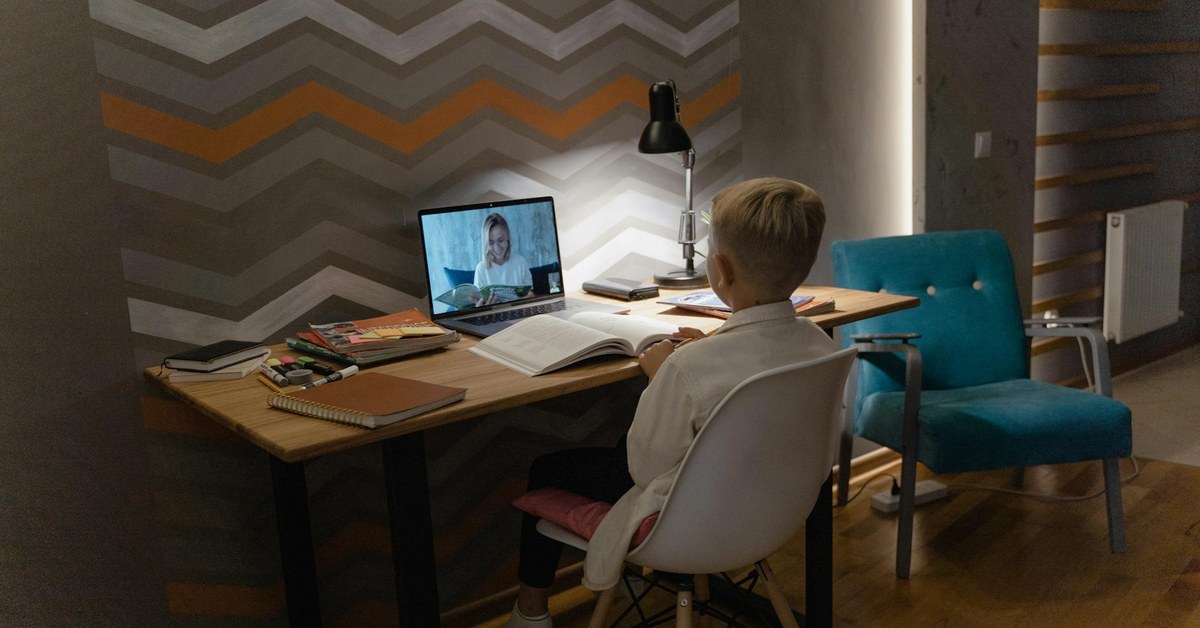

Mastering Screen Time: Essential Strategies for Remote Professionals to Prevent Digital Burnout and Boost Well-being
“Discover actionable strategies for remote professionals to effectively manage screen time, prevent digital burnout, and maintain optimal well-being while working from home.”
Remote work offers unparalleled flexibility, yet it often blurs the lines between professional and personal life, leading to increased screen time and the risk of digital burnout. For remote professionals, developing effective screen time strategies remote professionals burnout prevention is crucial for maintaining productivity, mental clarity, and overall well-being. This article explores practical, evidence-informed approaches to help you reclaim control over your digital life and foster a healthier work-from-home environment.
Understanding Digital Burnout in Remote Work
Digital burnout, often characterised by exhaustion, cynicism, and reduced efficacy related to technology use, is a significant concern for individuals working remotely. The constant demand to be online, coupled with the lack of physical separation from the workspace, can exacerbate this condition. A 2023 study by the International Labour Organisation (ILO) indicated that remote workers often log longer hours, with over 40% reporting working more than 48 hours per week, directly correlating with increased screen exposure.
Symptoms of digital burnout include persistent fatigue, eye strain, headaches, irritability, difficulty concentrating, and a feeling of being constantly “on call”. Unchecked, these symptoms can severely impact both professional performance and personal relationships.
“The digital environment, while enabling remote work, also creates an ‘always-on’ culture that can be detrimental to mental health,” explains a leading occupational psychologist. “Remote professionals must proactively build protective routines to mitigate the psychological toll of continuous digital engagement.”
Actionable Next Steps: Take a moment to reflect on your own screen habits. Are you experiencing any of the symptoms mentioned? Recognising the signs is the first step towards implementing change.
Establishing Healthy Screen Time Boundaries
Creating clear boundaries between work and personal life is paramount for managing screen time effectively. This involves both temporal and physical separation.
Structuring Your Workday
Without the natural breaks of a traditional office commute or water cooler chats, remote professionals must intentionally structure their day.
- Time Blocking: Allocate specific blocks for focused work, meetings, and breaks. Use a digital calendar or a physical planner to schedule these periods. For instance, dedicate 9:00 AM to 11:00 AM for deep work, followed by a scheduled break.
- The Pomodoro Technique: Work in focused 25-minute intervals, followed by a 5-minute break. After four ‘Pomodoros’, take a longer 15-30 minute break. This method encourages regular disengagement from the screen. Generic focus timer applications or browser extensions can assist with this.
- Digital ‘Commute’ Rituals: Begin and end your workday with a routine that signals the start or end of work. This could be a short walk, reading a book, or engaging in a hobby. This mental transition helps to separate work time from personal time.
Creating Physical Separation
Your physical environment plays a crucial role in establishing boundaries.
- Dedicated Workspace: If possible, designate a specific area in your home solely for work. This helps your brain associate that space with productivity and allows you to “leave” work mentally when you exit it.
- Leaving the Desk for Breaks: Even if you work from a small space, make a conscious effort to physically move away from your screen during breaks. Stand up, stretch, walk to another room, or step outside. This simple act can significantly reduce feelings of being tethered to your device.
“A clear physical boundary, even if it’s just turning your chair away from the desk at the end of the day, can send a powerful signal to your brain that work has concluded,” notes a workplace well-being consultant.
Actionable Next Steps: Review your daily schedule and identify opportunities to implement time blocking or the Pomodoro Technique. Consider how you can create a more distinct physical boundary for your workspace.
Implementing Digital Detox and Mindful Usage
Beyond structured work, intentional disconnection and mindful interaction with technology are vital for preventing online fatigue and promoting digital well-being.
Scheduled Offline Breaks
Integrate regular, screen-free periods throughout your day and week.
- Micro-Breaks: Every 20 minutes, look away from your screen for 20 seconds at something 20 feet away (the 20-20-20 rule). This helps reduce eye strain and fatigue.
- Lunch and Longer Breaks: Take a proper lunch break away from your desk. Avoid checking emails or scrolling social media during this time. Schedule longer breaks during the week for activities that don’t involve screens, such as exercise or spending time in nature.
- End-of-Day Rituals: Establish a clear cut-off time for work-related screens. Avoid checking work emails or messages after this time. This is especially important for [INTERNAL: improving sleep quality].
Technology for Good
Use technology to support, rather than hinder, your digital well-being.
- Screen Time Trackers: Utilise built-in phone or computer features, or generic third-party applications, to monitor your screen usage. Awareness of your habits is the first step to change.
- Blue Light Filters and Dark Mode: Activate blue light filters on your devices, especially in the evenings, to reduce exposure to light that can disrupt sleep patterns. Dark mode can also reduce eye strain.
- Notification Management: Turn off non-essential notifications on all devices. Batch email checks to specific times rather than responding instantly to every ping.
The Power of Disconnection
Consciously choose to disconnect from digital devices for periods each day.
- Designated ‘No-Screen’ Zones or Times: Declare certain areas of your home (e.g., the dining table, bedroom) or specific times (e.g., during meals, an hour before bed) as completely screen-free.
- Digital Sabbaths: Consider taking an entire day each week to disconnect from all non-essential digital devices. A 2022 study published in the Journal of Consumer Psychology found that individuals who regularly take digital breaks report higher levels of happiness and reduced stress.
“Mindful technology use is about being intentional with your digital interactions, choosing when and how you engage, rather than allowing devices to dictate your attention,” advises a digital well-being advocate.
Key Takeaway: Proactive and intentional digital disengagement, coupled with smart use of technology features, is fundamental to preventing online fatigue and fostering a healthier relationship with screens.
Actionable Next Steps: Audit your device notifications and turn off those that are not critical. Schedule a 15-minute screen-free break into your afternoon today.
Fostering Overall Well-being Beyond the Screen
Managing screen time is part of a broader approach to holistic well-being. A balanced lifestyle outside of work reinforces your ability to cope with digital demands.
Physical Activity and Movement
Regular physical activity is a powerful antidote to prolonged sitting and screen exposure.
- Integrate Movement: Incorporate short stretching breaks every hour. Consider walking meetings if appropriate, or take a brisk walk during your lunch break. The World Health Organisation (WHO) recommends at least 150 minutes of moderate-intensity aerobic activity per week for adults.
- Ergonomics: Ensure your workstation is ergonomically set up to prevent physical strain, which can contribute to discomfort and fatigue. [INTERNAL: ergonomic workstation setup guide]
Social Connection and Hobbies
Remote work can sometimes lead to feelings of isolation. Actively seek out non-digital social interactions and engage in hobbies.
- In-Person Connections: Make time for face-to-face interactions with friends, family, or community groups.
- Non-Digital Hobbies: Cultivate hobbies that do not involve screens, such as gardening, cooking, painting, playing a musical instrument, or reading physical books. These activities provide mental respite and a sense of accomplishment.
Sleep Hygiene
Quality sleep is essential for combating digital burnout. Screens, particularly before bed, can significantly interfere with sleep patterns.
- Consistent Sleep Schedule: Go to bed and wake up at roughly the same time each day, even on weekends.
- Wind-Down Routine: Create a relaxing bedtime routine that avoids screens for at least an hour before sleep. Read a physical book, listen to calming music, or practise mindfulness.
“Holistic well-being, encompassing physical activity, social connection, and restorative sleep, forms the bedrock upon which effective screen time management is built,” states a public health expert. “Ignoring these foundational elements makes sustained digital well-being much more challenging.”
Actionable Next Steps: Identify one non-screen-based activity you can incorporate into your daily or weekly routine. Review your sleep habits and consider implementing a screen-free wind-down period before bed.
What to Do Next
- Conduct a Screen Time Audit: Use your device’s built-in tools or a third-party app to track your screen usage for a week. Identify patterns and areas for reduction.
- Schedule Screen-Free Zones: Designate specific times (e.g., mealtimes, an hour before bed) or areas in your home as completely screen-free zones.
- Implement Regular Breaks: Set a timer to remind yourself to take a 5-10 minute break every hour, moving away from your screen and engaging in a non-digital activity.
- Optimise Notifications: Review all app notifications on your phone and computer, disabling those that are not essential or urgent.
- Prioritise Offline Activities: Intentionally plan and engage in hobbies, exercise, and social interactions that do not involve screens to enrich your life beyond work.
Sources and Further Reading
- International Labour Organisation (ILO): https://www.ilo.org/
- World Health Organisation (WHO): https://www.who.int/
- NSPCC (National Society for the Prevention of Cruelty to Children) - while focused on children, their digital safety advice often has transferable principles for mindful tech use: https://www.nspcc.org.uk/
- The Sleep Foundation: https://www.sleepfoundation.org/
- Journal of Consumer Psychology (relevant research often cited via academic databases like JSTOR or Google Scholar).