Smart Spending in Virtual Worlds: A Parent's Guide to In-Game Purchase Safety & Financial Literacy
Protect your wallet in online gaming. Discover essential tips for parents on managing in-game purchases, understanding virtual currencies, and teaching kids financial safety.
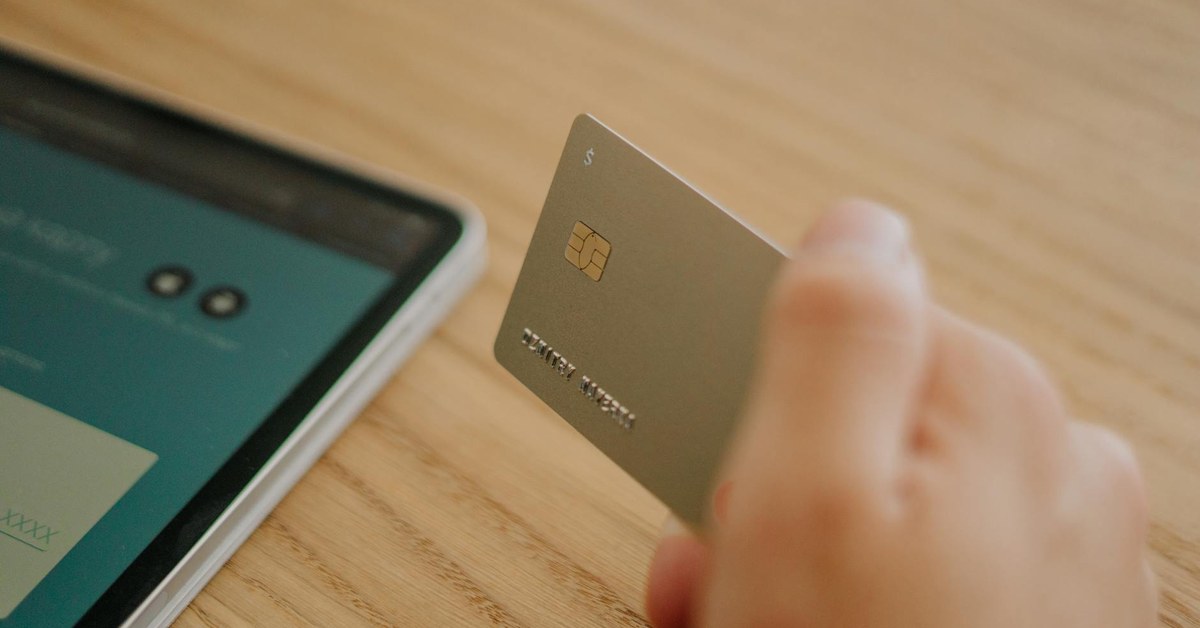

Smart Spending in Virtual Worlds: A Parent's Guide to In-Game Purchase Safety & Financial Literacy
“Protect your wallet in online gaming. Discover essential tips for parents on managing in-game purchases, understanding virtual currencies, and teaching kids financial safety.”
Virtual worlds offer endless entertainment and social connection for children, but they also introduce a complex landscape of digital spending. Navigating in-game purchase safety is a crucial skill for modern parents, not just to protect their family’s finances, but also to equip their children with essential financial literacy for a digitally driven future. This guide provides practical strategies to manage microtransactions, understand virtual currencies, and prevent common gaming scams, ensuring a safer and more financially aware gaming experience for your entire family.
Understanding the Virtual Economy: Microtransactions and Beyond
The digital gaming landscape thrives on microtransactions – small purchases made within a game. These can range from purely cosmetic items that change a character’s appearance to functional upgrades that affect gameplay. Understanding these various forms of virtual spending is the first step towards effective in-game purchase safety.
Microtransactions typically fall into several categories:
- Cosmetic Items: Skins, outfits, emotes, and other visual enhancements that do not alter gameplay mechanics. These are often seen as harmless, but their constant availability can encourage impulsive spending.
- Consumables: Single-use items like power-ups, health potions, or extra lives that provide temporary advantages. These can create a cycle of repeated purchases, especially in challenging games.
- Pay-to-Win Elements: Items or upgrades that give players a distinct advantage over others who do not purchase them. This model can be particularly frustrating for children who feel pressured to spend to keep up with friends.
- Season Passes/Battle Passes: Subscriptions or one-off purchases that unlock content over a period, often requiring significant playtime to earn all rewards. These can create a sense of obligation to play and spend.
- Virtual Currencies: Many games use their own digital currency (e.g., V-bucks, Robux, Gems) that players purchase with real money. The conversion rates can be opaque, making it difficult for children to grasp the true monetary value of their spending. For instance, a child might spend £5 on a bundle of virtual currency, only to find it buys a very small item, leading to a disconnect between real money spent and perceived value.
A particularly complex area is the loot box. These are virtual item containers that offer randomised rewards, often without revealing the contents before purchase. According to a 2020 report by the UK’s House of Lords Select Committee on the Social and Economic Impact of the Gambling Industry, loot boxes share “structural and psychological similarities with gambling.” This random reward mechanism can be highly addictive, exploiting psychological vulnerabilities and potentially leading to excessive spending. Research by the Australian Communications and Media Authority (ACMA) in 2022 indicated that 40% of children aged 5-17 who play games had made an in-game purchase in the past six months, with loot boxes being a significant component.
Why Children Are Vulnerable to In-Game Spending
Game designers employ sophisticated psychological tactics to encourage spending, which children, with their developing impulse control and understanding of money, are particularly susceptible to.
- Fear of Missing Out (FOMO): Limited-time offers, exclusive items, and daily login bonuses create urgency and a fear that if a purchase is not made now, the opportunity will be lost forever.
- Scarcity and Exclusivity: Rare items or character skins create a desire for uniqueness and status among peers.
- Gamified Spending: The act of purchasing itself is often made to feel like part of the game, with animations, sound effects, and celebratory visuals that make spending feel rewarding rather than like a transaction.
- Peer Pressure: Children often see their friends with desirable in-game items and feel compelled to purchase them to fit in or keep up. This social aspect can be a powerful motivator.
- Lack of Real-World Value Understanding: Virtual currencies abstract the value of real money. When children use “gems” or “coins” rather than pounds, they may not fully grasp that they are spending actual money. A child safety expert notes, “The disconnect between pressing a button to acquire virtual currency and the real-world impact on a family’s budget is a significant challenge for young minds.”
- Accessibility of Purchases: With payment details often saved on devices or linked to app stores, making a purchase can be as simple as a single tap, removing any friction that might encourage reconsideration.
Key Takeaway: The virtual economy is designed to encourage spending, often using psychological tactics that children are highly susceptible to. Understanding microtransactions, virtual currencies, and the mechanics of loot boxes is vital for protecting children and managing family finances.
Implementing Robust In-Game Purchase Safety Measures
Proactive measures are your strongest defence against unauthorised or excessive in-game spending. By leveraging parental controls and securing payment methods, you can create a safer gaming environment.
Parental Controls and Device Settings
Most gaming platforms, consoles, and app stores offer comprehensive parental control settings that are essential for in-game purchase safety. It is crucial to set these up on every device your child uses for gaming.
- Require Passwords for Every Purchase: This is perhaps the most fundamental setting. Ensure that a password or PIN is required for every single purchase, even for free downloads.
- On Consoles (e.g., PlayStation, Xbox, Nintendo Switch): Access the system settings, navigate to ‘Family’ or ‘Parental Controls’, and set purchase restrictions. You can often choose to disable purchases entirely, require a password for all purchases, or set a spending limit.
- On Mobile Devices (iOS, Android): For iOS, go to ‘Settings’ > ‘Screen Time’ > ‘Content & Privacy Restrictions’ > ‘iTunes & App Store Purchases’. For Android, open the Google Play Store app, go to ‘Settings’ > ‘Authentication’ > ‘Require authentication for purchases’.
- On PC Gaming Platforms (e.g., Steam, Epic Games Store): These platforms also offer parental controls (often called ‘Family View’ or similar) where you can restrict access to the store, require a PIN for purchases, and limit game access.
- Disable In-App Purchases Entirely: For younger children, or if you prefer a ‘no spending’ rule, you can often disable in-app purchases altogether within the device or platform settings.
- Set Spending Limits: Some platforms allow you to set monthly or weekly spending limits for child accounts. Once this limit is reached, no further purchases can be made until the next period. Regularly review these limits as your child grows and their understanding of money evolves.
- Monitor Purchase History: Regularly check the purchase history associated with your family’s accounts. This allows you to spot any unauthorised transactions quickly and understand your child’s spending habits. Many platforms send email notifications for every purchase, which you should activate and monitor.
Securing Payment Methods
Beyond device settings, how you manage your payment information is critical.
- Never Store Payment Details Directly on Devices Children Use: Avoid saving credit or debit card details directly within app stores, console accounts, or game platforms accessible by your children. If details are saved, a child only needs to bypass a simple password prompt, or they might make an accidental purchase.
- Use Prepaid Cards or Gift Cards for Controlled Spending: If you want to allow your child some autonomy with in-game spending, consider purchasing specific gift cards for their chosen platform (e.g., PlayStation Store card, Xbox Gift Card, Google Play card). Load these with a predetermined amount, and once the funds are depleted, no further spending can occur without your explicit action. This acts as a physical budget.
- Create Separate User Profiles/Accounts: Where possible, ensure your child uses a separate user profile or child account on consoles and gaming platforms. These accounts can then have specific parental controls applied, distinct from your own.
- Two-Factor Authentication (2FA): Enable 2FA on all your gaming and app store accounts. This adds an extra layer of security, requiring a second verification step (like a code sent to your phone) before purchases or significant account changes can be made. This helps prevent unauthorised access even if a password is compromised.
Recognising and Preventing Gaming Scams
The popularity of online gaming has also led to a rise in scams targeting players, including children. Educating yourself and your children about these risks is a vital part of comprehensive in-game purchase safety.
- Phishing Attempts: Scammers often create fake websites or send deceptive messages (via email, in-game chat, or social media) pretending to be from legitimate game developers or platforms. These attempts typically promise “free” virtual currency, rare items, or exclusive access in exchange for login details. Teach children never to click suspicious links or enter their login information on sites that are not the official game website.
- Third-Party Marketplaces: Websites and individuals claiming to sell virtual items, currency, or accounts at heavily discounted prices are often fraudulent. These can lead to:
- Fraudulent Transactions: Paying for items that are never delivered.
- Account Compromise: Giving away login details, leading to your child’s gaming account being stolen, emptied, or used for malicious purposes.
- Malware: Downloading files that contain viruses or spyware.
- Emphasise that the safest way to acquire in-game items is directly through the official game store.
- Impersonation Scams: Scammers may impersonate game developers, moderators, or even friends in-game, asking for personal information, login details, or virtual items. Teach children to be wary of anyone asking for such information, regardless of who they claim to be. A good rule is: “If it seems too good to be true, it probably is.”
Key Takeaway: Implementing robust parental controls on all devices, securing payment methods by avoiding saved details and using prepaid options, and educating children about common gaming scams are essential pillars of in-game purchase safety.
Fostering Online Gaming Financial Literacy in Children
Beyond technical controls, teaching children about the value of money and responsible spending in virtual environments is paramount. This empowers them with skills that extend far beyond gaming.
Open Communication About Money
Start conversations about money early and regularly. This is not a one-time talk, but an ongoing dialogue.
- Discuss Digital Money’s Real-World Value: Explain that even though they cannot physically hold virtual currency, it represents real money that you have worked for. Use analogies: “Buying 100 V-bucks is like buying a small toy from the shop.”
- Explain How Games Make Money: Help them understand that game developers are businesses that need to earn revenue. Explain that microtransactions are how many “free-to-play” games sustain themselves.
- Set Clear Rules and Expectations: Before your child starts playing games with in-game purchases, establish clear family rules. Will you allow purchases? If so, under what conditions? How will they be funded? For instance, “You can make purchases, but only with my permission and using money from your allowance.”
Practical Strategies for Teaching Financial Responsibility
Integrate financial lessons into their gaming experience.
- Allowance Systems for In-Game Spending: Consider giving your child a small, regular allowance specifically for gaming. This teaches them budgeting and the concept of finite resources. They learn to prioritise what they truly want.
- Budgeting and Tracking Spending: Encourage older children (ages 10+) to keep a simple record of their in-game spending. This could be a small notebook or a basic spreadsheet. Review it together periodically to reflect on their choices.
- The Value of Earning vs. Instant Gratification: Many games allow players to earn in-game currency or items through gameplay. Encourage children to ‘grind’ for items rather than immediately buying them. This teaches patience, effort, and the satisfaction of earning.
- Delayed Gratification Exercises: If your child wants an expensive in-game item, encourage them to save up their gaming allowance over several weeks. This reinforces the concept that big purchases require planning and patience.
- Understanding Advertising and Persuasion Tactics: Discuss with your children how games use colours, sounds, limited-time offers, and peer pressure to encourage spending. Ask them, “Why do you think the game is showing you this item right now?” This critical thinking skill is invaluable. A financial literacy educator suggests, “By demystifying the persuasive techniques used in games, parents can help children develop media literacy alongside financial acumen.”
Age-Specific Guidance for In-Game Spending
Tailor your approach to your child’s developmental stage.
- Ages 6-9: Basic Concepts & Strict Supervision
- Focus: Understanding that digital money is real money.
- Approach: Parental approval for every purchase. Consider only using gift cards with small, controlled amounts. Explain simply: “We have £5 for games this week. Once it’s gone, it’s gone.”
- Key Action: Keep payment details completely hidden. Disable in-app purchases or require a password for every single transaction.
- Ages 10-12: Developing Independence & Budgeting Practice
- Focus: Learning to budget and make choices within limits.
- Approach: Introduce a gaming allowance. Let them make small purchasing decisions independently within that budget, but review their spending together. Discuss “wants” versus “needs” in the game.
- Key Action: Set clear spending limits through platform controls. Encourage them to track their own spending. Continue to require passwords for purchases.
- Ages 13+: Greater Autonomy & Understanding Virtual Currency Risks
- Focus: Managing their own funds, understanding conversion rates, and recognising scams.
- Approach: Allow more freedom with a larger, more independent gaming budget (perhaps from chores or birthday money). Discuss the implications of virtual currency conversion rates and the risks of third-party sites.
- Key Action: Empower them to research purchases, compare value, and identify scams. Ensure they know how to report suspicious activity. Continue to monitor overall account activity and maintain 2FA.
Key Takeaway: Cultivating online gaming financial literacy involves open communication about money, practical budgeting strategies, and age-appropriate guidance. Empowering children to understand the value of money and the tactics used to encourage spending is crucial for their long-term financial wellbeing.
When Things Go Wrong: Dealing with Unauthorised Purchases and Overspending
Despite the best precautions, unauthorised purchases or accidental overspending can still happen. How you respond can significantly impact both your finances and your relationship with your child.
- Immediate Steps:
- Change Passwords: Immediately change the password for the gaming account and any associated app store or platform accounts.
- Contact Platform Support: Most gaming platforms and app stores have clear policies for disputing unauthorised purchases. Contact their customer support as soon as possible. Provide details of the transactions and explain that they were unauthorised. Be aware that policies vary; some platforms are more lenient with refunds, especially if it’s a child’s first incident.
- Review Settings: Double-check all parental control settings and payment method security to identify any vulnerabilities that may have been overlooked.
- Talking to Your Child Without Blame: It is natural to feel frustrated or angry, but approach the conversation calmly. Focus on understanding what happened rather than assigning blame. Ask questions like: “Can you tell me what happened with these purchases?” or “What did you think was happening when you made these?”
- Reframing Mistakes as Learning Opportunities: Use the incident as a powerful teaching moment. Discuss the consequences of the spending (e.g., less money for other family activities, needing to earn back the spent amount). Reiterate the importance of asking for permission, understanding digital money, and adhering to family rules. Work together to put new safeguards in place. It is a chance to reinforce the financial literacy lessons you have been teaching.
Remember, the goal is not just to recover funds but to prevent future incidents and strengthen your child’s understanding of responsible digital citizenship and financial management. This experience, though potentially costly, can be a valuable lesson if handled constructively. For broader online safety advice, refer to [INTERNAL: comprehensive guide to online child safety].
What to Do Next
- Review All Parental Controls: Immediately check and configure parental controls on every device your child uses for gaming (consoles, PCs, tablets, phones) to require passwords for all purchases and set spending limits.
- Secure Payment Information: Remove saved payment details from all gaming and app store accounts. Consider using prepaid gift cards for any future approved in-game spending.
- Initiate a Family Discussion: Sit down with your child(ren) to talk openly about in-game purchases, the value of money, the tactics games use, and the importance of asking permission. Establish clear family rules for spending.
- Educate on Scams: Teach your child how to recognise and avoid common gaming scams, such as phishing links or offers that seem too good to be true, and reinforce the importance of never sharing login details.
- Monitor Regularly: Make a habit of regularly checking purchase histories and reviewing parental control settings to ensure continued in-game purchase safety and adherence to family agreements.
Sources and Further Reading
- NSPCC: Online safety for children - https://www.nspcc.org.uk/keeping-children-safe/online-safety/
- UNICEF: Digital parenting: The six most important tips for parents - https://www.unicef.org/parenting/child-development/digital-parenting-tips
- PEGI (Pan European Game Information): Parental Control Guides - https://pegi.info/parental-control
- ESRB (Entertainment Software Rating Board): Parental Tools - https://www.esrb.org/tools/
- UK Parliament, House of Lords Select Committee on the Social and Economic Impact of the Gambling Industry: Gambling Harm – Children and Young People - https://committees.parliament.uk/publications/2864/documents/30701/default/ (Referenced for loot box information)
- Australian Communications and Media Authority (ACMA): Children’s online environments and safety - https://www.acma.gov.au/childrens-online-environments-and-safety (Referenced for children’s in-game spending statistics)