Tailoring Online Safety: Age-Appropriate Internet Use Strategies for Children with Special Needs
Discover tailored strategies for age-appropriate internet use and online safety for children with special needs. Empower inclusive digital experiences.
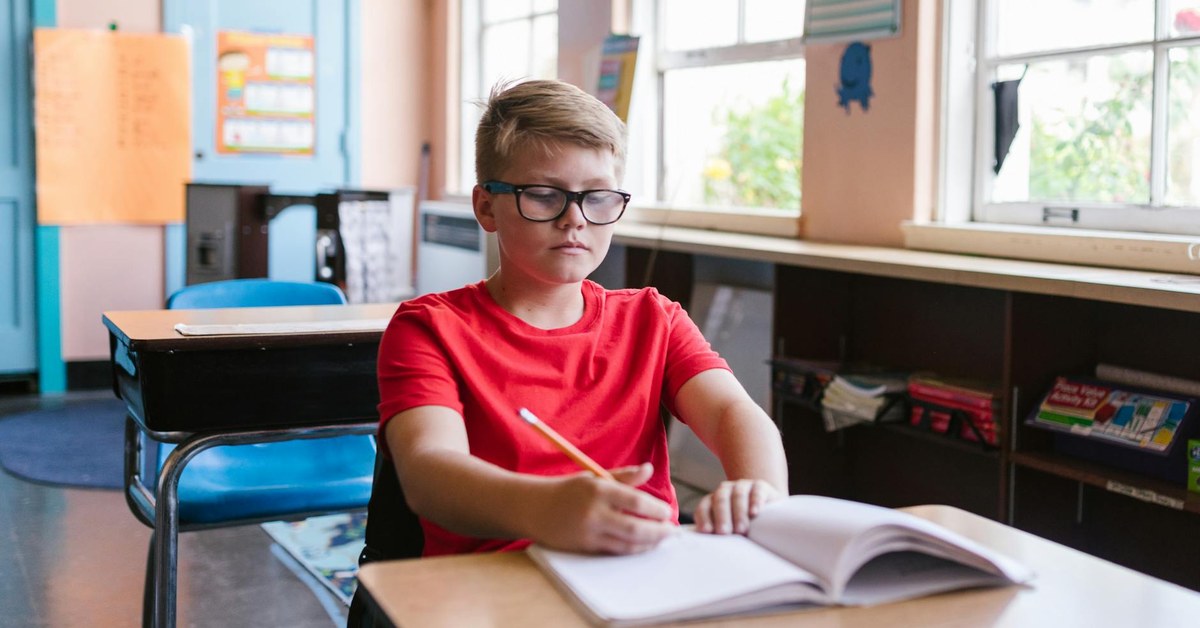

Tailoring Online Safety: Age-Appropriate Internet Use Strategies for Children with Special Needs
“Discover tailored strategies for age-appropriate internet use and online safety for children with special needs. Empower inclusive digital experiences.”
Ensuring online safety for special needs children requires a thoughtful and individualised approach. While general internet safety guidelines are crucial for all young people, children with diverse learning styles, developmental differences, or specific conditions may face unique challenges online. Understanding these distinctions and implementing tailored strategies empowers families to create secure, enriching, and inclusive digital environments where every child can thrive safely.
Understanding Unique Challenges in Digital Spaces
Children with special needs, including those on the autism spectrum, with ADHD, learning disabilities, or other neurodevelopmental differences, often interact with the digital world differently. These variations can introduce specific vulnerabilities and opportunities.
According to a 2021 UNICEF report on children with disabilities and digital risks, children with disabilities are disproportionately exposed to online harm, including cyberbullying and exploitation. This is often due to factors such as: * Literal Interpretation: Children on the autism spectrum, for example, may interpret online content or social cues very literally, making them susceptible to misinformation or manipulation. * Difficulty with Social Cues: Recognising sarcasm, irony, or malicious intent in online interactions can be challenging, increasing the risk of falling victim to online grooming or scams. * Executive Function Difficulties: Issues with impulse control, planning, and understanding consequences can lead to risky online behaviours, such as sharing excessive personal information or engaging with inappropriate content. * Increased Screen Time for Learning/Therapy: Many children with special needs utilise digital tools for education, communication, and therapy, which can mean more exposure to the online world, necessitating robust safety measures. * Sensory Sensitivities: Certain websites, games, or apps might be overwhelming due to flashing lights, loud noises, or complex interfaces, causing distress or avoidance.
A child development specialist notes, “For children with special needs, online interactions can be a double-edged sword. It offers unparalleled opportunities for connection and learning, but also presents unique vulnerabilities that require a bespoke safeguarding strategy.” Recognising these specific challenges is the first step towards building effective inclusive digital environments.
Age-Appropriate Digital Literacy for Diverse Needs
Teaching digital literacy neurodivergent kids and those with other special needs requires adapting methods to suit individual learning styles and developmental stages. This is not a one-size-fits-all approach but a continuous, flexible process.
Early Years (Ages 3-7)
Focus on foundational concepts through simple, repetitive activities. * Visual Rules: Use visual schedules, social stories, or picture cards to illustrate safe online behaviours, such as “ask a grown-up before clicking” or “only talk to people we know.” * Supervised Exploration: Guide children through age-appropriate, curated apps and websites. Emphasise that the internet is a tool, not a limitless playground. * Emotional Recognition: Use simple emojis or facial expressions to discuss feelings associated with online content. “Does this make you feel happy or worried?”
Primary School (Ages 8-12)
Introduce more complex concepts, focusing on critical thinking and communication. * “Think Before You Click”: Reinforce the idea of pausing before sharing information, clicking links, or responding to messages. Use real-world analogies. * Privacy and Personal Information: Explain what personal information is and why it should not be shared with strangers online. Create a family rule about what information is off-limits. * Identifying Trusted Adults: Clearly define who children can talk to if they encounter something uncomfortable or confusing online. * Digital Footprint: Begin to introduce the concept that what goes online stays online, using simple examples.
Secondary School (Ages 13+)
Address more nuanced aspects of online socialising, self-expression, and advanced risks. * Online Identity and Reputation: Discuss how online actions can impact real-world perceptions and future opportunities. * Cyberbullying and Bystander Intervention: Role-play scenarios and discuss strategies for dealing with cyberbullying, both as a target and a witness. * Critical Evaluation of Information: Teach how to question sources, identify fake news, and recognise persuasive techniques used in advertising or propaganda. * Consent and Boundaries: Extend discussions about personal boundaries to online interactions, including sharing images or private conversations.
Key Takeaway: Tailoring digital literacy education to a child’s specific cognitive abilities and learning style, using visual aids, social stories, and consistent reinforcement, is paramount for effective online safety special needs children.
Implementing Adaptive Parental Controls and Tools
Effective parental controls special needs children require more than just standard filters; they need to be flexible and adaptable. These tools can help manage screen time, block inappropriate content, and monitor online activity.
Here are strategies for implementing adaptive controls:
- Content Filters: Utilise router-level or device-specific content filtering software. Look for options that allow customisation based on specific keywords, categories, or even time of day. Some filters can be configured to block content that might be overly stimulating or triggering for children with sensory sensitivities.
- Screen Time Management: Implement tools that limit device usage. Visual timers or apps that provide clear countdowns can be particularly helpful for children who benefit from structured routines and visual cues. Many operating systems now include built-in screen time controls.
- App and Website Restrictions: Curate a list of approved apps and websites. For children who struggle with impulse control, preventing access to app stores or unapproved browsers can significantly reduce risk.
- Privacy Settings Customisation: Work with your child to adjust privacy settings on social media platforms, gaming consoles, and apps. Emphasise the importance of “private” profiles and understanding who can see their content.
- Monitoring Software: Consider monitoring tools that provide insights into online activity. This is not about surveillance but about understanding patterns, identifying potential risks early, and opening avenues for discussion. Be transparent with older children about monitoring.
- Secure Search Engines: Utilise child-friendly search engines or enable safe search functions on standard engines to minimise exposure to inappropriate content.
- Visual Schedules and Timers: For children who benefit from predictability, integrate online time into a visual daily schedule. Use physical or digital timers to signal the beginning and end of internet use, helping with transitions.
[INTERNAL: Guide to setting up robust parental controls]
Fostering Inclusive Digital Environments
Creating inclusive digital environments means actively seeking out and promoting online spaces that are safe, supportive, and accessible for children with special needs. This involves careful curation and ongoing dialogue.
- Curated Content: Actively seek out apps, games, and websites designed with accessibility features or specifically for children with special needs. Look for platforms that offer customisable interfaces, text-to-speech, or simplified navigation.
- Supportive Online Communities: Guide children towards online groups or forums that focus on their interests or conditions, provided these communities are well-moderated and have clear rules of conduct. Organisations like the NSPCC and Red Cross offer resources on identifying safe online communities.
- Open Communication: Establish a culture of open dialogue where children feel comfortable discussing their online experiences without fear of punishment. Regularly check in, asking open-ended questions about what they enjoyed, what they learned, and if anything made them feel uncomfortable.
- Role-Modelling: Demonstrate responsible and balanced internet use. Show children how you handle online frustrations, verify information, and manage your own screen time.
- Advocacy: If you encounter platforms that are not accessible or inclusive, consider providing feedback to the developers or seeking alternatives.
An online safety expert advises, “The goal is not to eliminate all risk, which is impossible, but to equip children with the skills and support to navigate the digital world confidently and safely, adapting to their unique cognitive and emotional landscapes.”
Recognising and Responding to Online Risks
Even with the best preventative measures, children may still encounter online risks. Knowing how to recognise the signs of distress and respond effectively is crucial.
Signs a child might be experiencing online harm: * Changes in mood or behaviour after using the internet. * Withdrawal from family or friends. * Loss of interest in favourite activities. * Sudden anxiety, depression, or anger. * Secrecy about online activities, hiding screens. * New or unexplained physical symptoms (e.g., headaches, stomach aches, sleep disturbances). * Reluctance to go to school or engage in social activities. * Receiving unsolicited messages or gifts.
Steps to take if you suspect a child is at risk: 1. Stay Calm and Listen: Approach the situation with empathy and without judgment. Reassure your child that you are there to help them. 2. Gather Information: Ask open-ended questions to understand what happened. Avoid prying, but try to get enough details to assess the situation. 3. Document Evidence: Take screenshots or save messages, if possible, without deleting anything. This evidence can be vital if reporting is necessary. 4. Report Harm: * Inappropriate Content: Report directly to the platform or website. * Cyberbullying: Most social media platforms have reporting mechanisms. If it escalates or involves threats, consider involving school authorities or local law enforcement. * Online Grooming or Exploitation: Immediately contact local law enforcement or a dedicated child protection agency in your country (e.g., CEOP in the UK, National Centre for Missing and Exploited Children in the US). Do not attempt to investigate yourself. 5. Block and Unfriend: Help your child block the individual or unfriend them from social networks. 6. Seek Professional Support: If the child is significantly distressed, consider seeking support from a mental health professional, counsellor, or child psychologist. 7. Review and Adjust Settings: Re-evaluate and adjust parental controls and privacy settings as needed.
[INTERNAL: Understanding and preventing cyberbullying]
What to Do Next
- Conduct a Family Digital Audit: Review all devices, apps, and online platforms your child uses. Update privacy settings, enable safe search, and install relevant parental control software tailored to their specific needs.
- Create a Personalised Online Safety Plan: Develop a written or visual plan with your child, outlining agreed-upon rules for internet use, screen time limits, and what to do if they encounter something uncomfortable. Ensure it’s accessible and understandable for them.
- Engage in Regular, Open Conversations: Make online safety an ongoing dialogue, not a one-time lecture. Use everyday opportunities to discuss online experiences, reinforce positive behaviours, and address any concerns.
- Educate Yourself Continuously: Stay informed about new apps, platforms, and online risks. Resources from organisations like UNICEF, WHO, and national child protection bodies offer updated guidance and support.
- Connect with Support Networks: Join parent groups or seek advice from professionals who specialise in supporting children with special needs and online safety. Sharing experiences and strategies can be incredibly valuable.
Sources and Further Reading
- UNICEF. (2021). The State of the World’s Children 2021: On My Mind – Promoting, Protecting and Caring for Children’s Mental Health. www.unicef.org/reports/state-of-worlds-children-2021
- NSPCC. (Ongoing). Online Safety Advice for Parents. www.nspcc.org.uk/keeping-children-safe/online-safety/
- WHO. (Ongoing). Digital Health and Innovation. www.who.int/teams/digital-health-and-innovation
- Internet Watch Foundation (IWF). (Ongoing). Resources for Parents and Carers. www.iwf.org.uk/resources/parents-carers/