Smart Speakers and Voice Assistants

Smart Speakers and Voice Assistants
Introduction
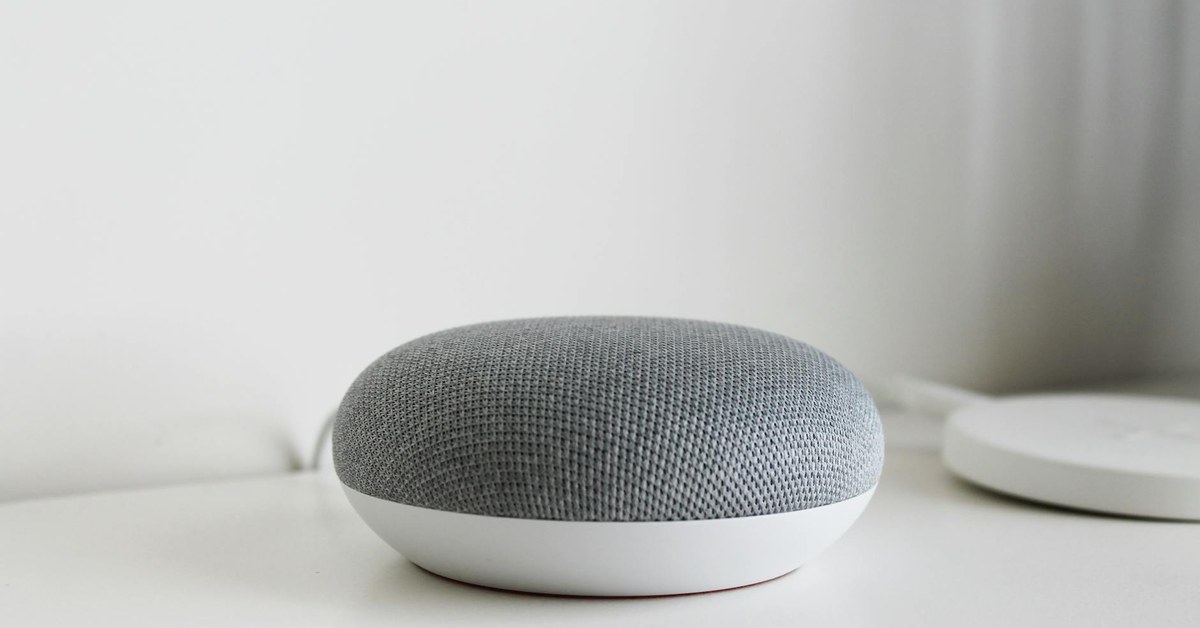
Smart speakers and voice assistants have become fixtures in tens of millions of homes around the world. Amazon Echo devices with Alexa, Google Nest speakers with Google Assistant, and Apple HomePod with Siri sit in living rooms, kitchens, and bedrooms, responding to voice commands, playing music, setting timers, answering questions, and controlling other smart home devices. For adults, they represent a genuinely useful convenience. For young children, they represent something more complicated.
Children interact with voice assistants in ways that differ significantly from adult usage. They ask questions that adults would not think to ask. They engage with these devices as though they are social agents — something between a toy and a person. They are less able to critically evaluate the answers they receive. And they are entirely unaware of the privacy implications of a device that is, by design, always listening.
This guide is for families with young children who use or are considering using smart speakers in their homes. It covers privacy concerns, the risk of inappropriate content, accidental purchases, how to use parental controls across different platforms, and how to begin teaching children healthy habits around these devices.
How Voice Assistants Work: Always-On Listening
Understanding how smart speakers function is the foundation for understanding their privacy implications. Every major smart speaker operates by continuously monitoring ambient sound through its microphone, waiting for a specific wake word — "Alexa," "Hey Google," or "Hey Siri." When the wake word is detected, the device activates, records the subsequent spoken request, and sends that recording to the manufacturer's servers for processing. The response is then returned to the device.
What This Means for Privacy
The fact that a smart speaker is always listening for its wake word means that the microphone is always active. In practice, this means:
- The device may activate inadvertently when a phrase that sounds like the wake word is spoken in conversation, on television, or by a child playing nearby.
- Snippets of domestic conversation — not intended for the device — may be recorded and sent to servers when an unintended activation occurs.
- Audio recordings associated with a household account are often stored on the manufacturer's servers and may be reviewed by human employees for quality improvement purposes, unless this is explicitly opted out of.
- Children's voices and the content of their questions are processed and, to varying degrees, retained by technology companies.
All major voice assistant platforms — Amazon, Google, and Apple — have faced scrutiny over data practices and have updated their policies following regulatory and public pressure. However, parents should be aware that using these devices involves a trade-off between convenience and the privacy of everyone in the household, including children who cannot consent to data collection.
Practical Privacy Steps
- Review and delete voice history regularly through the relevant app. Amazon Alexa, Google Home, and Apple Home all provide access to voice history in their companion apps.
- Opt out of human voice review where the option exists.
- Consider whether smart speakers should be placed in private rooms such as bedrooms, where sensitive conversations are more likely.
- Use the physical mute button on a smart speaker when it is not being used. Most devices include a hardware mute that disables the microphone entirely.
Accidental and Child-Initiated Purchases
One of the most widely reported family frustrations with smart speakers is the ease with which young children can make purchases through voice commands. Amazon's Alexa, in particular, was designed from the outset to facilitate shopping, and children who hear parents make purchases by voice may imitate this behaviour without understanding the financial implications.
Reports of children ordering toys, games, and food items through voice assistants — or even through overheard television advertisements featuring the wake word — have been widely documented in the media since the devices became mainstream.
Preventing Unauthorised Purchases
- Amazon Alexa: In the Alexa app, navigate to Settings, then Account Settings, then Voice Purchasing. Here you can disable voice purchasing entirely or set a confirmation code that must be spoken before any purchase is completed.
- Google Assistant: Google Home devices do not natively support direct purchasing through voice in the same way as Alexa. Purchases of Google Play content can be managed through the Google Play parental controls settings.
- Apple Siri: Apple HomePod purchases through Siri require authentication, typically through Face ID or Touch ID on a paired iPhone, which provides a natural barrier to child-initiated purchases.
Regardless of the device, the simplest protection is to have an explicit conversation with children about the fact that purchasing things through the speaker costs real money and requires parental permission — just as it would in a shop.
Children Asking Questions and Receiving Inappropriate Answers
Young children ask voice assistants questions with a freedom and breadth that they might not use with a parent or teacher. This is partly because the device feels non-judgmental, and partly because children at this developmental stage are insatiably curious and the low barrier to asking questions encourages exploration.
Most of the time, the questions are entirely benign: what is a dinosaur, what is the capital of France, how do birds fly. But children also ask about death, violence, sexuality, and other topics that are age-inappropriate, and voice assistants are not reliably equipped to handle these with age-appropriate sensitivity.
Additionally, there have been documented cases of voice assistants providing factually incorrect information in response to children's questions, or providing answers that were technically accurate but inappropriate in context — for example, suggesting dangerous challenges when asked about things to do when bored.
Managing Question and Content Risk
- Enable explicit content filters on all voice assistant platforms (see the section on parental controls below).
- Position smart speakers in shared family spaces rather than in children's rooms, so that interactions with the device happen in the presence of adults who can intervene if necessary.
- Treat an unexpected or troubling answer from a voice assistant as an opportunity for conversation rather than alarm — children's curiosity is healthy, and the question itself is rarely the problem.
Parental Controls on Major Platforms
Each of the major smart speaker platforms offers parental controls and family-specific features, though they vary in sophistication and ease of use.
Amazon Alexa: Kids Profiles and Amazon Kids+
Amazon offers a dedicated children's experience through Amazon Kids (formerly FreeTime). Setting up an Amazon Kids profile for a child on an Echo device enables:
- Filtering of explicit music and inappropriate content.
- Age-appropriate answers to questions, provided through a curated experience.
- Daily usage limits that can be configured by parents.
- Blocking of purchasing capabilities.
- A reduced set of skills and features focused on educational and entertainment content suitable for children.
Amazon Kids+ is a subscription service that provides additional curated content, though the free Amazon Kids profile provides meaningful protections without subscription. The setup is managed through the Amazon Parent Dashboard.
Google Nest: Family Link
Google's Family Link app allows parents to manage Google accounts for children under 13. When Family Link is used in conjunction with a Google Nest speaker:
- Explicit content filtering is enabled for Google Assistant responses.
- Parents can review and manage activity through the Family Link dashboard.
- Screen time limits can be set on paired devices, though this is more directly relevant to phones and tablets than to smart speakers.
Setting up Family Link requires creating a supervised Google account for the child and linking it to the household Google Home. The process is manageable but requires several steps through the Google Home and Family Link apps.
Apple HomePod: Communication Limits and Screen Time
Apple's HomePod controls are tied to the broader Screen Time and Family Sharing features available through iOS. Parents can:
- Restrict Explicit Content in the Screen Time settings, which applies to Siri responses on HomePod when accessed through a child's Apple ID.
- Use Family Sharing to manage what content a child's Apple ID can access.
- Restrict Siri web search to prevent browsing through the voice assistant.
Apple's privacy practices are generally considered more protective than those of Amazon and Google, and the HomePod is designed with on-device processing for many requests, which reduces the volume of data sent to external servers.
Teaching Children Appropriate Use of Voice Assistants
Technology education for young children is most effective when it is woven into ordinary family life rather than delivered as a formal lesson. Voice assistants offer a natural opportunity to discuss a number of important concepts.
The Concept of a Machine, Not a Friend
Young children, particularly those aged three to six, often anthropomorphise voice assistants — treating them as social partners, saying please and thank you, and forming something resembling an emotional attachment. While politeness is a positive habit, parents can gently help children understand that a voice assistant is a computer programme, not a person. It does not have feelings, it cannot care about the child, and the child does not need to manage its emotional state.
This understanding is the foundation of healthy digital literacy and becomes increasingly important as children encounter more sophisticated artificial intelligence in their lives.
Privacy From an Early Age
The concept of privacy can be introduced to young children in simple, concrete terms. Just as some things are private to our bodies and not shared with everyone, some things are private to our family and not shared with a computer. Encouraging children to think about what they say to a voice assistant — and to understand that those words are heard by a machine and stored somewhere — plants the seed of digital privacy awareness long before they encounter social media or online communication.
- Explain to children that the speaker can hear everything in the room, not only when they speak to it directly.
- Establish family norms around what kinds of questions are appropriate to ask the device and what should be asked of a parent instead.
- Use the mute function as a visible, teachable action: "When we have private conversations in this room, we press the button so the speaker cannot hear."
Critical Thinking About Answers
A voice assistant presents information with apparent confidence and authority. Teaching children — even very young children — to ask "how do we know that is true?" is a foundational critical thinking skill. When a voice assistant gives an answer, parents can model checking it: looking it up in a book, asking another adult, or using a different source. This habit, established early, builds information literacy that will serve children throughout their lives in an environment saturated with algorithmic content.
Smart Speakers in Children's Bedrooms
Many families place smart speakers in children's bedrooms, often because of the device's utility as a music player, timer, or nightlight. This practice warrants careful consideration.
A device in a child's bedroom that is capable of always-on listening, that can provide unsupervised access to questions and answers, and that operates outside the natural oversight of the family's shared spaces represents a different proposition from a device in the kitchen or living room. The same risks described throughout this guide — inappropriate content, privacy intrusion, and unsupervised interaction with a technology that does not have the child's developmental wellbeing as its primary design consideration — are heightened when the device is unsupervised.
Families that choose to place a smart speaker in a child's bedroom should ensure that robust parental controls are enabled, that the microphone is muted during sleep hours, and that the child's interactions with the device are discussed regularly.
Global Context: Regulation and Data Protection
The regulatory environment around smart speakers and children's data is evolving. In the United States, the Children's Online Privacy Protection Act (COPPA) restricts the collection of personal information from children under 13 without verified parental consent. Amazon, Google, and Apple all have obligations under COPPA when they know a child is using their services.
In the European Union and United Kingdom, the General Data Protection Regulation (GDPR) and the UK Children's Code (Age Appropriate Design Code) provide significant protections for children's data, including requirements for data minimisation and the right to erasure. These regulations place obligations on technology companies, but they do not eliminate parental responsibility for understanding and managing the technology in the home.
Summary
Smart speakers and voice assistants are powerful, convenient, and pervasive. Their interaction with young children raises genuine concerns across privacy, content safety, commercial manipulation, and the development of healthy digital habits. The good news is that each major platform provides tools to mitigate these risks — children's profiles, content filters, voice purchasing controls, and usage limits are all available and worth using. Beyond platform controls, parents can take simple practical steps: reviewing and deleting voice history, muting devices when not in use, positioning devices in shared spaces, and beginning conversations with children about privacy and critical thinking from the earliest appropriate age. Smart speakers need not be absent from family life, but they are best used thoughtfully, with parental engagement and appropriate controls in place.