Smart Device Safety for Older Adults: Smartphones
Smart devices offer older adults extraordinary convenience and connection. This guide helps you use smartphones, tablets, and smart home technology safely, confidently, and with full control of your privacy.
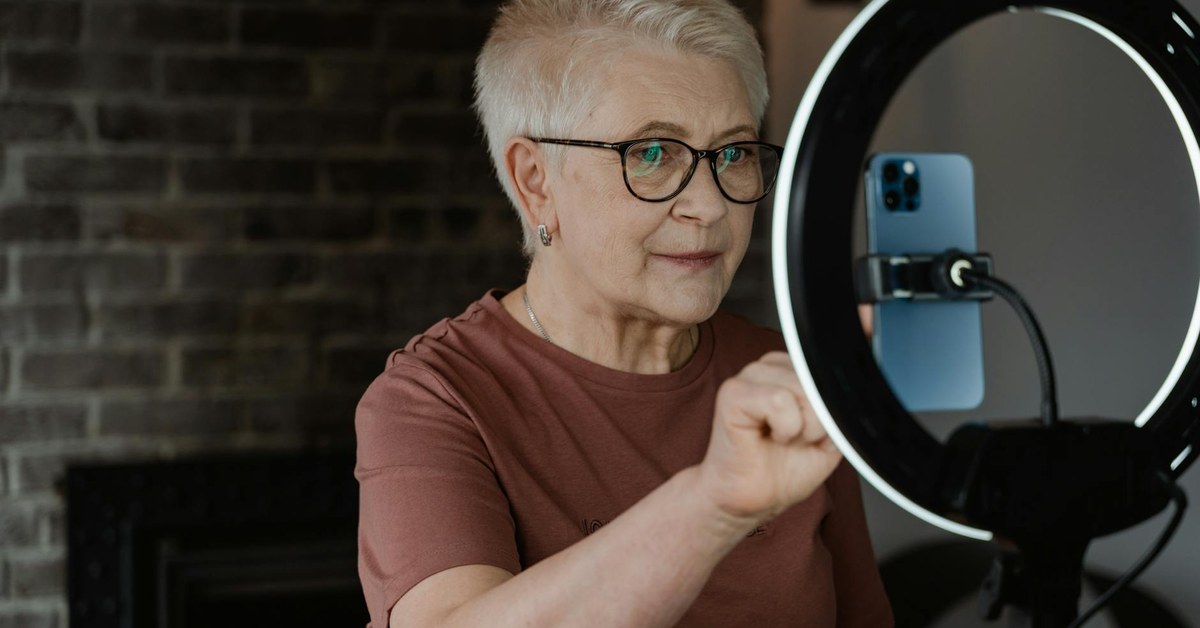

Smart Device Safety for Older Adults: Smartphones
“Smart devices offer older adults extraordinary convenience and connection. This guide helps you use smartphones, tablets, and smart home technology safely, confidently, and with full control of your privacy.”
The Smart Device Revolution for Older Adults
Smartphones, tablets, smart speakers, and smart home devices have transformed daily life for people of all ages, and older adults are adopting these technologies in rapidly increasing numbers. The benefits are genuine and substantial: video calls that maintain close connections with family regardless of distance, instant access to news and information, the convenience of voice-activated assistance for people with limited mobility, and entertainment and social connection available at the touch of a screen.
With these benefits come specific security and privacy considerations that every smart device user should understand. The risks are real but manageable with the right knowledge and habits. This guide covers the essential practices that allow older adults to enjoy the full benefits of smart devices while keeping their personal data, finances, and privacy well protected.
Smartphone Security Essentials
Your smartphone is one of the most personal and sensitive devices you own. It contains your contacts, messages, photographs, emails, banking apps, and health information. Protecting access to this device is a fundamental security priority.
Enable a strong lock screen on your smartphone. Options typically include a PIN number, a password, a pattern, a fingerprint scan, or facial recognition. A PIN or password should be at least six digits or characters long. Avoid obvious choices such as birth dates, house numbers, or sequential numbers. A fingerprint or face unlock combines convenience with strong security and is an excellent option for those who find entering a PIN inconvenient.
Keep your phone's operating system and all applications updated. Software updates frequently include critical security patches that close vulnerabilities discovered since the previous version was released. Enabling automatic updates ensures these patches are applied promptly. An out-of-date operating system is significantly more vulnerable to malware and hacking than an up-to-date one.
Download apps only from the official app stores for your device, the Apple App Store for iPhones and the Google Play Store for Android phones. These stores have vetting processes that significantly reduce the presence of malicious software. Downloading apps from other sources carries substantially higher risk of installing malware.
Review the permissions requested by any app before installing it. Many apps request access to your camera, microphone, location, contacts, and other sensitive data. Grant permissions only when they are genuinely necessary for the app's function. A calculator app that requests access to your contacts, for example, does not need that permission and should not be granted it.
Tablet Safety and Privacy
Tablets are used by many older adults for video calling, news reading, internet browsing, and entertainment. The same security principles that apply to smartphones apply to tablets. Lock screen protection, regular software updates, careful app permissions, and downloading only from official stores are equally important on a tablet.
Be cautious about sharing a tablet between household members or lending it to visitors without reviewing what information is accessible on it. Banking apps, email, and saved passwords stored in the browser represent sensitive information that should not be readily accessible to others.
Review the privacy settings of the web browser you use on your tablet. Enabling private browsing mode for sensitive activities means that websites you visit, passwords, and browsing history are not stored on the device after the session ends.
Safe Use of Smart Speakers and Voice Assistants
Smart speakers such as Amazon Echo (Alexa), Google Nest (Google Assistant), and Apple HomePod (Siri) have become popular in many households, offering hands-free access to information, music, timers, reminders, and smart home control. For older adults with limited mobility, voice-activated assistance can be particularly valuable.
Smart speakers listen continuously for their wake word and, once activated, transmit your voice to servers for processing. This means that conversations occurring near an active smart speaker are potentially captured and processed remotely. While major manufacturers have strong stated data policies, understanding this characteristic of the technology is important for making informed decisions about how and where you use these devices.
Review the voice history settings in your smart speaker's associated app and delete stored voice recordings regularly if you prefer not to have them retained. Most devices allow you to review and delete your voice history through the app and to opt out of human review of recordings.
Be cautious about using voice assistants for activities involving sensitive information, including banking transactions or the sharing of personal information, in situations where others might hear the interaction or where the device is placed in a semi-public area of the home.
Keep smart speaker accounts protected with strong, unique passwords and enable two-factor authentication on the associated accounts. This prevents unauthorised access to your smart home settings and any stored information.
Smart Home Devices: Security and Privacy
Smart home technology including video doorbells, smart locks, security cameras, and smart thermostats offer genuine benefits for safety, convenience, and energy efficiency. They also introduce new security considerations that are worth understanding.
Smart home devices connect to your home Wi-Fi network and can be accessed remotely. Securing your home Wi-Fi network with a strong password is an essential foundation for smart home security. Use WPA3 encryption if your router supports it, or WPA2 as a minimum. Change the default password set by your router manufacturer to a unique, strong password of your own.
Register smart home devices with the manufacturer and apply all firmware updates when they become available. Security vulnerabilities in smart home devices have been discovered and exploited by hackers, and manufacturers release patches to address these. An unpatched smart camera or doorbell can potentially be accessed by someone outside your household.
Video doorbells and smart security cameras that record and store footage create privacy considerations for both you and your neighbours. Be aware of any legal requirements in your area regarding recording in public spaces, and configure recording zones to minimise capture of areas outside your own property.
Smart locks are convenient but introduce a different security consideration: if the device or its associated app is compromised, your home could potentially be accessed. Use smart locks only from reputable manufacturers with strong security records, keep the firmware updated, and ensure that physical key backup exists in case the smart system fails.
Online Privacy and Data Protection
Every time you use a smart device to access the internet, browse websites, use apps, or connect with services, data about your behaviour, preferences, and identity is generated and, in many cases, collected and used by the companies operating those services.
This is not universally a concern requiring action, but understanding what data is collected and how it is used allows you to make informed choices. Review the privacy settings of the social media platforms, apps, and services you use regularly. Most offer options to limit data collection, opt out of certain uses of your data, and delete historical data that has been collected.
Be cautious about sharing personal information through online forms, competitions, and surveys. Information provided for one purpose can be combined with other data sources to create detailed profiles that may be sold to advertisers or used in targeted fraud campaigns. If in doubt about why an organisation is asking for personal information, do not provide it.
Protecting Yourself from Malware and Viruses
Malicious software (malware) can infect smartphones and tablets as well as computers, typically through malicious apps, links in emails or text messages, or compromised websites. The effects can include financial theft through captured banking credentials, data theft, and the use of your device to send spam or participate in attacks on other systems.
The primary protection against malware on mobile devices is downloading apps only from official stores and keeping your operating system updated. On computers, reputable security software provides an additional layer of protection and should be kept active and updated.
If your device behaves unusually, including significant battery drain, unexplained data usage, unfamiliar apps appearing, or sluggish performance, these may indicate a malware infection. Run a security scan with reputable security software, or contact your device manufacturer's support service for guidance.
Getting Help with Smart Device Security
For those who find the technical aspects of smart device security challenging, several accessible resources are available. Many local libraries, community centres, and Age UK branches run digital skills sessions specifically for older adults that include practical guidance on device security settings.
Family members who are more technically confident can provide invaluable help in setting up devices securely, reviewing settings, and establishing good security habits. If you have younger family members who are comfortable with technology, inviting them to help with a security review of your devices is a straightforward and effective approach.
The digital world offers enormous benefits for older adults, from connection and information to safety and convenience. Using it wisely and securely means you can enjoy all of these benefits while keeping your personal data, finances, and privacy well protected. With the right habits in place, your smart devices become powerful tools that serve your interests safely and effectively every day.